
Sizekin Insects
SMALL SUBJECTS · BODY LENGTH AND WINGSPAN
Small subjects, carefully chosen endpoints
At insect scale, including a pair of antennae can change your estimate substantially. Look closely at what the ruler covers before comparing a compact body with an animal whose wings or legs spread outward.
Body length and open wingspan are different measurements. Use the marked part of the silhouette; the farthest visible points are not automatically the endpoints being scored.
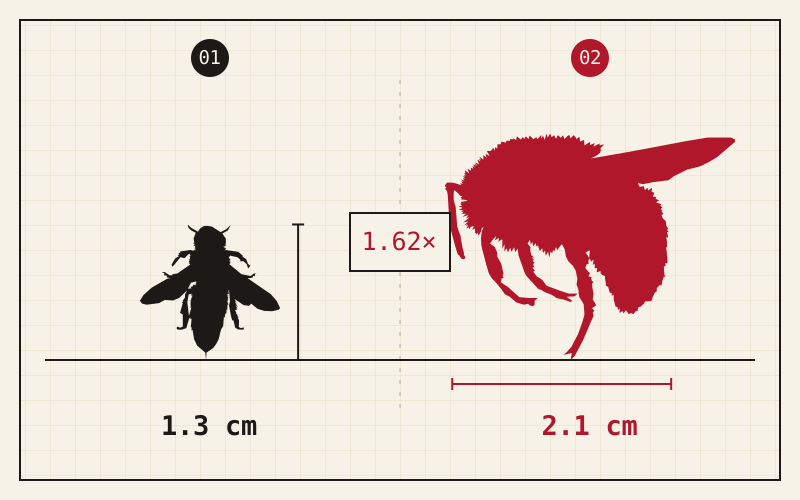
Make a measurement, then test it
- 01 · Read the reference
Find the fixed silhouette and read its number, unit and measurement direction. Decide which endpoints you are comparing before changing the target.
- 02 · Adjust the target
Drag the target or use the ruler controls. A two-finger pinch changes your guess on touchscreens; the zoom buttons change the view. You can also use the plus and minus buttons for smaller adjustments.
- 03 · Reveal and compare
Submit once you are satisfied. The reveal shows the recorded size beside your estimate. Base points depend on the size ratio; round weights turn those points into the run total.
What the label changes
An enlarged illustration makes a tiny animal easy to inspect, but tells you nothing about its physical size without a reference. Ignore how much of the screen it occupies and compare the two measurements.
A useful way to practise
Switch between body-length and wingspan examples deliberately. After the reveal, say which dimension you estimated before looking at the score; this helps separate a scale error from an endpoint error.
Inspect the objects behind a round
The library lets you search names, filter a theme and inspect measurement notes and source credits. Retired entries remain available to explain older games, but are excluded from new draws. Counts there follow the current catalogue rather than a fixed list in this guide.
Choose your next set
Daily offers five rounds for the selected category and date. Unlimited lets you choose 5, 10, 20 or an endless run; these results are separate from Daily. An endless run can be finished after at least five rounds.